Top AI Tools Revolutionizing Design and Art
Explore top AI tools transforming design and art, enhancing creativity and efficiency for professionals and enthusiasts alike.
Get the daily AI & tech briefing.
Top AI Tools Revolutionizing Design and Art
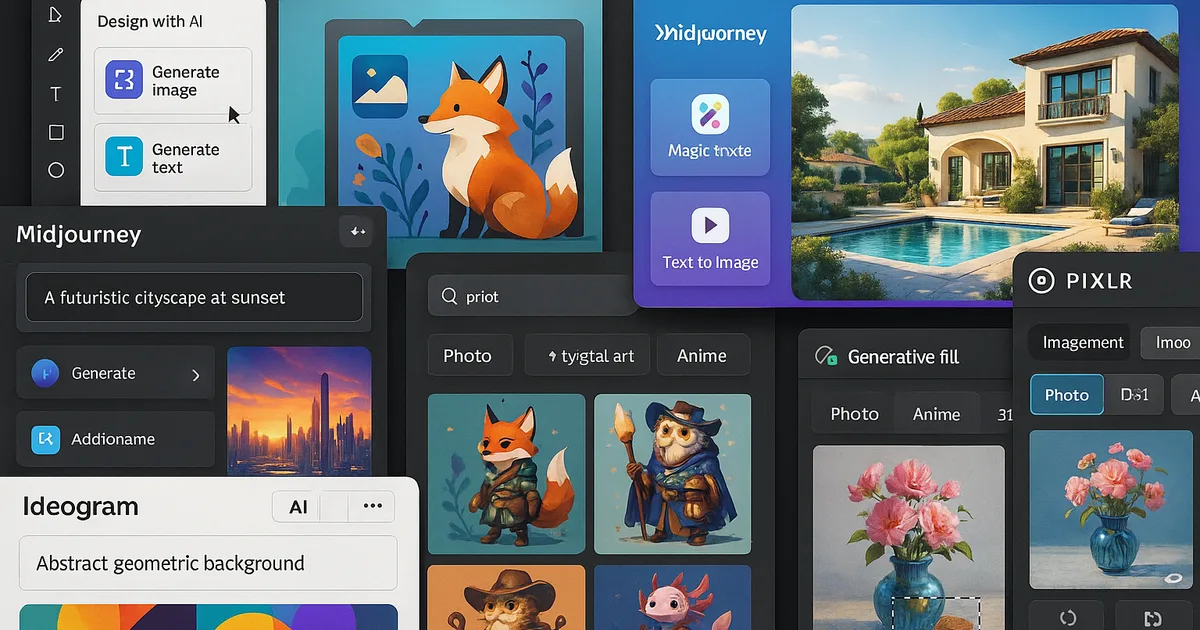
Artificial intelligence is transforming the creative landscape, offering tools that enhance and streamline the design and art process. These AI-powered solutions assist with tasks ranging from generating images to automating design elements, enabling artists and designers to focus more on creativity and less on repetitive tasks. Below, we explore some of the leading AI tools that are making significant impacts in the fields of design and art.
Figma AI: Enhancing UI/UX Design Efficiency
Figma, a popular interface design tool, has integrated AI capabilities to assist UI/UX designers. Figma AI can generate layouts, auto-name layers, suggest design system components, and create entire page mockups from text descriptions. This integration allows designers to rapidly prototype and iterate, significantly reducing the time spent on manual adjustments. Learn more about how to integrate AI into creative workflows to maximize efficiency.
Canva's Magic Studio: Empowering Non-Designers
Canva's Magic Studio brings AI-powered features to users without formal design training. These tools assist with tasks like applying consistent corporate branding, translating content, and photo editing. By leveraging AI, Canva enables users to produce professional-quality designs efficiently, democratizing the design process for a broader audience. For more on essential features of AI platforms, explore our article on essential features of AI platforms for creatives.
Midjourney: Pioneering AI-Generated Art
Midjourney is renowned for its high-fidelity image generation capabilities. It excels in producing photorealistic renders and artistic visuals, making it a valuable tool for concept artists, art directors, and marketing teams. Midjourney's AI-driven approach allows for rapid creation of diverse visual content, enhancing creative workflows.
Adobe Firefly: Integrating AI into Creative Workflows
Adobe's Firefly suite introduces generative AI tools designed to be creator-friendly. Firefly is trained on Adobe Stock images to reduce the risk of intellectual property infringement, ensuring that AI-generated content is commercially safe. Features like Project Stardust simplify photo editing by automatically recognizing and isolating key objects, streamlining the editing process for designers. Discover more about AI platforms for creative professionals in our comprehensive guide.
Ideogram: Advancing Text-to-Image Generation
Ideogram focuses on generating images from text prompts, offering various styles such as realistic, design, 3D, and anime. Its models have improved realism and understanding of complex text layouts, providing designers with a versatile tool for creating diverse visual content based on textual descriptions.
Leonardo.ai: A Comprehensive Creative Suite
Leonardo.ai offers a suite of tools for generating images, illustrations, and photorealistic visuals from text prompts. Features like Realtime Canvas transform sketches into AI-generated images in real time, while Motion animates static images into short videos. This platform supports custom AI model training on user-specific datasets, ensuring consistent outputs tailored to individual needs.
Pixlr: AI-Powered Photo Editing
Pixlr provides AI-driven photo editing tools accessible via web and mobile platforms. It offers features like background removal, image enhancement, and style transfer, enabling users to perform complex edits with ease. Pixlr's AI capabilities make professional-grade photo editing accessible to a wider audience.
Comparison of Key AI Design Tools
Here's a comparison of some of the top AI tools revolutionizing design and art:
Tool | Best For | Key Features | Pricing |
|---|---|---|---|
Figma AI | UI/UX Designers | Layout generation, auto-naming layers, design system suggestions | Included in Figma |
Canva's Magic Studio | Non-Designers and Marketing Teams | Corporate branding, content translation, photo editing | Free and Paid Plans |
Midjourney | Concept Artists and Art Directors | High-fidelity image generation, photorealistic renders | From $10/month |
Adobe Firefly | Professional Designers | Generative AI tools, Project Stardust for photo editing | Included in Creative Cloud |
Ideogram | Designers Needing Text-to-Image | Various styles, improved text layout understanding | Varies |
Leonardo.ai | Comprehensive Creative Needs | Realtime Canvas, Motion for animations, custom AI model training | Varies |
Pixlr | Photo Editing Enthusiasts | Background removal, image enhancement, style transfer | Free and Paid Plans |
Integrating AI Tools into Creative Workflows
To effectively incorporate AI tools into your design and art processes, consider the following strategies:
- Identify Repetitive Tasks: Determine which aspects of your workflow are time-consuming and can be automated using AI tools.
- Experiment with Different Tools: Explore various AI platforms to find those that best align with your creative needs and preferences.
- Stay Updated: AI technology evolves rapidly. Regularly update your knowledge to leverage the latest features and improvements.
- Balance AI and Human Creativity: Use AI to handle repetitive tasks, allowing more time for creative exploration and innovation.
Ethical Considerations in AI-Generated Art
While AI tools offer numerous benefits, it's essential to consider ethical implications:
- Intellectual Property: Ensure that AI-generated content does not infringe on existing copyrights or trademarks.
- Transparency: Clearly disclose the use of AI in your creative process to maintain trust and authenticity.
- Bias and Fairness: Be aware of potential biases in AI models and strive to create inclusive and diverse content.
Future Trends in AI for Design and Art
The integration of AI in design and art is expected to continue evolving. Future trends may include:
- Enhanced Collaboration: AI tools facilitating real-time collaboration among designers and artists.
- Personalized Design Assistance: AI providing tailored suggestions based on individual user preferences and styles.
- Improved Accessibility: AI making design tools more accessible to individuals with varying levels of expertise.
Conclusion
AI tools are revolutionizing the fields of design and art by automating repetitive tasks, enhancing creative capabilities, and making professional-quality design accessible to a broader audience. By thoughtfully integrating these tools into your workflow and considering ethical implications, you can harness the power of AI to elevate your creative projects.
FAQs
Q: Can AI tools replace human designers and artists?
A: AI tools are designed to assist and enhance the creative process, not replace human creativity. They handle repetitive tasks, allowing designers and artists to focus on innovation and expression.
Q: Are AI-generated designs copyright-free?
A: Not necessarily. It's important to ensure that AI-generated content does not infringe on existing copyrights. Always verify the originality and rights associated with AI-generated designs.
Q: How can I choose the right AI tool for my design needs?
A: Assess your specific requirements, such as the type of design work, desired features, and budget. Experiment with different tools to find the best fit for your workflow.
Q: Do I need technical expertise to use AI design tools?
A: Many AI design tools are user-friendly and require minimal technical knowledge. However, familiarity with design principles can enhance the effectiveness of these tools.
Q: Are there free AI design tools available?
A: Yes, several AI design tools offer free versions with basic features. For advanced functionalities, paid plans are typically available.
By leveraging these AI tools thoughtfully, designers and artists can enhance their creative processes, produce high-quality work more efficiently, and stay competitive in the evolving creative landscape.
Related Articles
Don't miss what ships next
The daily briefing on AI & tech, straight to your inbox.
Written by
Vunsh MehtaI’m a computer science student and developer focused on AI, automation, and emerging tech. I write about AI news, tools, and trends from a practical, builder-focused perspective.