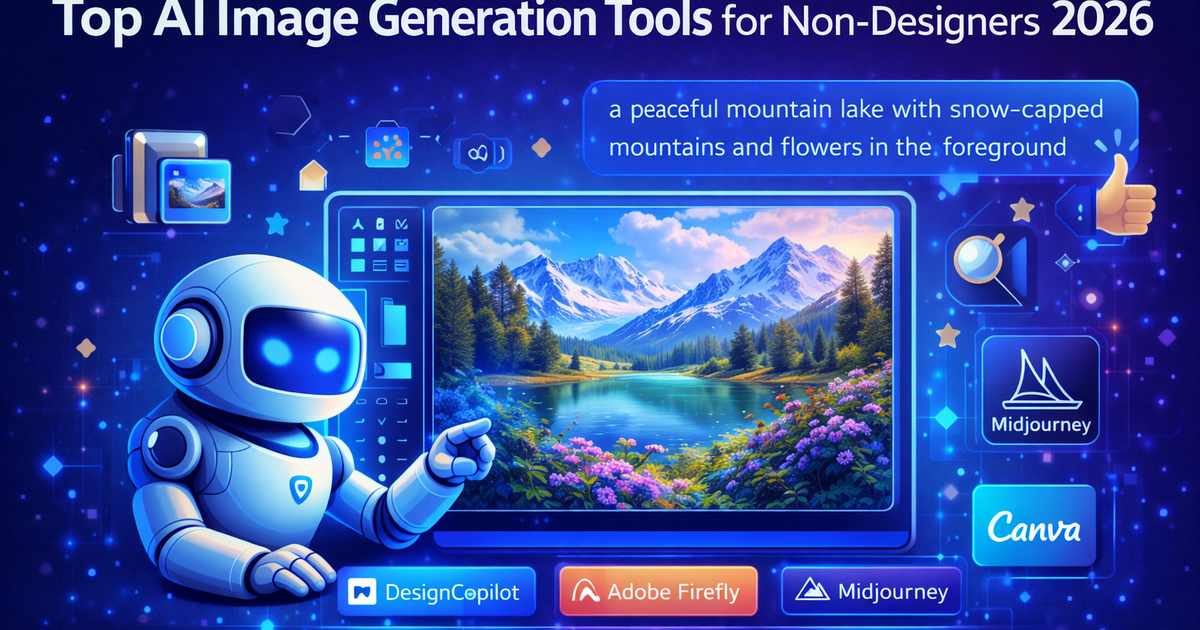
Top AI Image Generation Tools for Non-Designers (2026)
The only thing that separates a good result from a bad one is knowing which tool to use and how to describe what you want. This guide covers both.
Get the daily AI & tech briefing.
Top AI Image Generation Tools for Non-Designers (2026)
Let's get one thing out of the way: you don't need to know anything about design to create great images with AI in 2026.
No Photoshop. No Illustrator. No art school. No idea what a hex code is. None of that matters. If you can type a sentence describing what you want, you can generate an image that looks like a professional made it.
The only thing that separates a good result from a bad one is knowing which tool to use and how to describe what you want. This guide covers both.
What to Look For in an AI Image Generator (If You're Not a Designer)
Before getting into the tools, here's what actually matters when you're evaluating these from a non-designer perspective:
Ease of prompting — Can you describe what you want in plain English and get something close to usable on the first try? Some tools require learning a specific prompting syntax. Others just work with natural language.
Free tier generosity — How much can you actually do before hitting a paywall? For testing and occasional use, a good free tier matters a lot.
Output quality — Does it look good enough to use on your blog, social media, or website without embarrassing yourself?
Commercial use rights — If you're publishing content or running a business, can you actually use what you generate without legal risk?
Speed — How long does it take to generate an image? Some tools are near-instant, others take a minute or more.
With those criteria in mind, here's what we found.
The Best AI Image Generation Tools for Non-Designers
1. Microsoft Copilot Image Creator - Best Completely Free Option
If you want a capable AI image generator that costs absolutely nothing, Microsoft Copilot Image Creator is the answer. It's powered by DALL-E technology, requires only a free Microsoft account, and generates high quality images from plain text descriptions.
What makes it stand out:
- Completely free with a Microsoft account — no usage limits that most people will hit
- Uses DALL-E technology, so output quality is strong
- Works in plain conversational English — no special syntax needed
- Integrated into Microsoft Copilot and Edge browser if you're already in that ecosystem
Where it falls short: You can't fine-tune outputs with advanced style controls the way you can with Midjourney. Results can be a bit generic for highly specific creative visions. And like all DALL-E based tools, it's conservative about certain content types.
Best for: Anyone who wants a solid free image generator with no strings attached. Great starting point before committing to a paid tool.
Pricing: Free with a Microsoft account.
2. DALL-E 3 via ChatGPT - Best for Beginners Who Already Use ChatGPT
If you already have a ChatGPT account, you have access to DALL-E 3 — one of the best image generators available — without paying for anything extra on the free tier (with limits) or fully on the Plus plan.
What makes it particularly good for non-designers:
- You can describe images conversationally and ChatGPT will refine your prompt automatically before generating
- If you don't like the result, just tell it what to change in plain language: "make it warmer", "remove the background clutter", "make the person look more professional"
- Handles text inside images better than most competitors
- No separate account or tool to learn
The conversational back-and-forth is genuinely the best feature here. Instead of rewriting prompts from scratch, you just describe what's wrong and it adjusts. For non-designers who don't know how to articulate visual preferences precisely, this is a game-changer.
Where it falls short: The free tier limits how many images you can generate per day. For high-volume image creation, you'll hit those limits quickly. Also slightly behind Midjourney on raw aesthetic quality for stylized or artistic outputs.
Best for: Bloggers, content creators, and casual users who already use ChatGPT and want image generation without adding a new tool to their stack.
Pricing: Limited free access via ChatGPT free tier. Full access with ChatGPT Plus at $20/month.
3. Adobe Firefly - Best for Commercially Safe Images
Adobe Firefly is the only major AI image generator on this list that was trained exclusively on licensed images and public domain content. That means every image you generate is commercially safe to use — no legal grey areas, no copyright concerns.
For non-designers specifically, it's also genuinely easy to use:
- Built directly into Adobe Express (free web app) — no Photoshop required
- Simple text-to-image interface with style controls you can click rather than type
- Generative fill lets you edit photos by describing what you want to add or remove
- Strong output quality, especially for photorealistic images
Where it falls short: The free tier has monthly credit limits, and more advanced features require an Adobe subscription. If you're already paying for Creative Cloud, it's included. If you're not, the standalone cost adds up.
Best for: Anyone creating images for commercial use — blogs, marketing materials, client work — where copyright safety matters. Also great for anyone who wants to edit existing photos with AI rather than just generate from scratch.
Pricing: Free tier with monthly credits. Included with Adobe Creative Cloud plans. Firefly standalone plans from around $10/month.
4. Canva AI - Best If You're Already Using Canva
Canva is already the go-to design tool for non-designers, and its AI image generation is seamlessly built in. If you use Canva to make social posts, blog graphics, or presentations, you can generate custom images without ever leaving the app.
What works well:
- Text-to-image generation directly inside your Canva designs
- Generated images are immediately ready to drop into templates
- Magic Edit lets you modify existing images with text prompts
- Background remover and other AI tools in the same interface
- Images generated in Canva are covered by their commercial use license
Where it falls short: The standalone image quality isn't quite at the level of dedicated generators like Midjourney or DALL-E 3. It's best used as a convenience tool within the Canva workflow rather than your primary image generation solution.
Best for: Anyone already using Canva who wants AI image generation without switching to a separate tool. Excellent for social media content creators.
Pricing: Limited AI features on the free plan. Canva Pro at $15/month includes full AI features.
5. Ideogram - Best for Images With Text
One of the most persistent frustrations with AI image generators has been text inside images — most tools butcher it, producing garbled letters that look like someone sneezed on the keyboard. Ideogram was specifically built to solve this problem.
If you need to generate:
- Blog post header images with titles on them
- Social media quote graphics
- Poster or banner style images with readable text
- Any image where legible words are part of the design
Ideogram is the tool to use. The text rendering is genuinely impressive compared to competitors.
Beyond text, the overall image quality is strong and the free tier is reasonably generous for casual use.
Where it falls short: Less versatile than DALL-E or Midjourney for highly stylized artistic images. The interface is simpler and has fewer customization options than some competitors.
Best for: Content creators who regularly need images with text — blog headers, quote graphics, announcement images. Also great for anyone tired of fixing mangled text in other AI tools.
Pricing: Free tier available with daily generation limits. Paid plans from around $8/month.
6. Playground AI - Best Free Option for High Volume
If you need to generate a lot of images without paying, Playground AI offers one of the most generous free tiers available. The image quality is solid and the interface is accessible enough for non-designers to pick up quickly.
Key strengths:
- Generous free tier — significantly more generations per day than most competitors
- Clean interface with style presets that make prompting easier
- Good for experimenting with different styles without eating through credits
- Community feed lets you see what prompts others are using, which is genuinely helpful for learning
Where it falls short: The ceiling on quality is lower than Midjourney or DALL-E 3. For professional-grade output, you'll eventually want to graduate to a more capable tool. Also less focused on commercial use cases.
Best for: Non-designers who want to experiment extensively with AI image generation without spending money. Great for learning what kinds of prompts produce good results before investing in a paid tool.
Pricing: Generous free tier. Paid plans from around $15/month.
7. Midjourney - Best Quality (When You're Ready to Pay)
Midjourney produces the most aesthetically impressive images of any tool on this list. If you've seen a stunning AI image somewhere online in the last couple of years, there's a good chance it was made with Midjourney.
For non-designers, the catch is that it has the steepest learning curve on this list:
- It operates through Discord, which is a barrier if you're not already using it
- The prompting syntax rewards specificity and style references
- There's no free tier — you pay from day one
Once you get past those hurdles, the results are worth it. The images have a distinctive quality and coherence that other tools still struggle to match, particularly for stylized, artistic, or cinematic outputs.
Where it falls short: The Discord interface is genuinely awkward. No free tier is a significant barrier for casual users. And for simple photorealistic images, the quality gap over DALL-E 3 or Firefly is smaller than the price difference suggests.
Best for: Content creators, bloggers, and social media users who want the highest quality images and are willing to invest time in learning the tool. Best used once you've outgrown the free options above.
Pricing: Basic plan from $10/month. Standard plan $30/month.
Quick Comparison Table
Tool | Best For | Free Tier | Commercial Use |
|---|---|---|---|
Microsoft Copilot | Completely free generation | Yes — generous | Yes |
DALL-E 3 / ChatGPT | Beginners, conversational editing | Limited | Yes |
Adobe Firefly | Commercially safe images | Yes — limited credits | Yes — specifically designed for it |
Canva AI | Canva users, social content | Limited | Yes |
Ideogram | Images with text | Yes — daily limits | Yes |
Playground AI | High volume on free tier | Yes — most generous | Check terms |
Midjourney | Highest quality output | No | Yes (paid plans) |
Tips for Writing Better AI Image Prompts (Even as a Beginner)
You don't need to master prompt engineering to get good results, but a few simple habits make a big difference:
Be specific about what you want to see. "A dog" gives the AI almost nothing to work with. "A golden retriever sitting in a sunlit park, looking directly at the camera, photorealistic" gives it everything it needs.
Describe the mood and lighting. Words like "golden hour", "soft natural light", "dramatic shadows", or "overcast and moody" dramatically change the feel of an image. Lighting is one of the biggest factors in whether an image looks professional.
Reference a style. "In the style of a magazine photo", "like a watercolor illustration", "cinematic, film grain" — these style cues help the AI understand the aesthetic you're going for. You don't need to reference specific artists, just general styles.
Iterate one thing at a time. If you don't like a result, change one element in your prompt rather than rewriting everything. This helps you learn what's actually affecting the output.
Generate multiple versions. Most tools let you generate 2-4 variations from the same prompt. Always do this — the difference between variations can be significant, and you'll often find one that's much closer to what you wanted.
Which Tool Should You Start With?
If you want to spend nothing: start with Microsoft Copilot Image Creator or Playground AI and see how far you get on the free tier.
If you already use ChatGPT: use DALL-E 3 inside ChatGPT — the conversational editing makes it the most forgiving for beginners.
If you're creating content for commercial use: go straight to Adobe Firefly — the copyright safety alone makes it worth it.
If you need images with readable text: Ideogram is in a league of its own for this specific use case.
If quality is your top priority and you're ready to invest: Midjourney is still the benchmark.
Frequently Asked Questions
Can I use AI image generators without any design experience? Yes — entirely. You describe what you want in plain English and the tool generates it. The only skill involved is learning to describe images clearly, which gets easier with practice.
What is the best free AI image generator in 2026? Microsoft Copilot Image Creator is the most generous free option with no meaningful usage limits. Playground AI is the runner-up for volume. Adobe Firefly is best if commercial use is a priority.
Can I use AI-generated images commercially? It depends on the tool. Adobe Firefly is specifically designed for commercial use. Canva AI images are commercially licensed. DALL-E 3 and Midjourney paid plans allow commercial use. Always check the specific tool's terms before using images in commercial projects.
Why do AI images sometimes have weird hands or faces? AI generators predict pixels based on patterns rather than understanding anatomy. Hands and faces are complex and highly variable, making them harder to get right. Newer models have improved significantly, but it's still worth checking your outputs and regenerating if something looks off.
How do I write better prompts for AI image generators? Be specific about subject, style, lighting, and mood. Reference visual styles you like. Generate multiple variations from the same prompt. And if a result isn't right, change one element at a time rather than rewriting the whole prompt from scratch.
Related Articles


Don't miss what ships next
The daily briefing on AI & tech, straight to your inbox.
Written by
Zach GreeneI write about the tools, trends, and breakthroughs shaping the future of AI, breaking down complex ideas into clear, actionable insights. From emerging startups to the latest in AI tech, I focus on what actually matters and what’s worth paying attention to. My goal is to help you stay ahead in a rapidly evolving space.