Spotify's New AI Assistant: Transforming Music Discovery and Personalization
Spotify introduces an AI assistant that revolutionizes how users discover and enjoy music, offering personalized recommendations and interactive features.
Get the daily AI & tech briefing.
Spotify has unveiled a groundbreaking AI assistant designed to enhance user experience by providing personalized music recommendations and interactive features. This innovation marks a significant step in integrating artificial intelligence into everyday music streaming.
How Spotify's AI Assistant Enhances Music Discovery
The AI assistant leverages advanced machine learning algorithms to analyze users' listening habits, preferences, and even contextual factors like time of day or activity. By processing this data, it curates playlists and suggests new tracks that align closely with individual tastes. For instance, if a user frequently listens to upbeat tracks during workouts, the assistant might recommend high-energy songs during exercise hours. This level of personalization ensures that users are continually introduced to music that resonates with their unique preferences.
Interactive Features: Voice Commands and Conversational AI
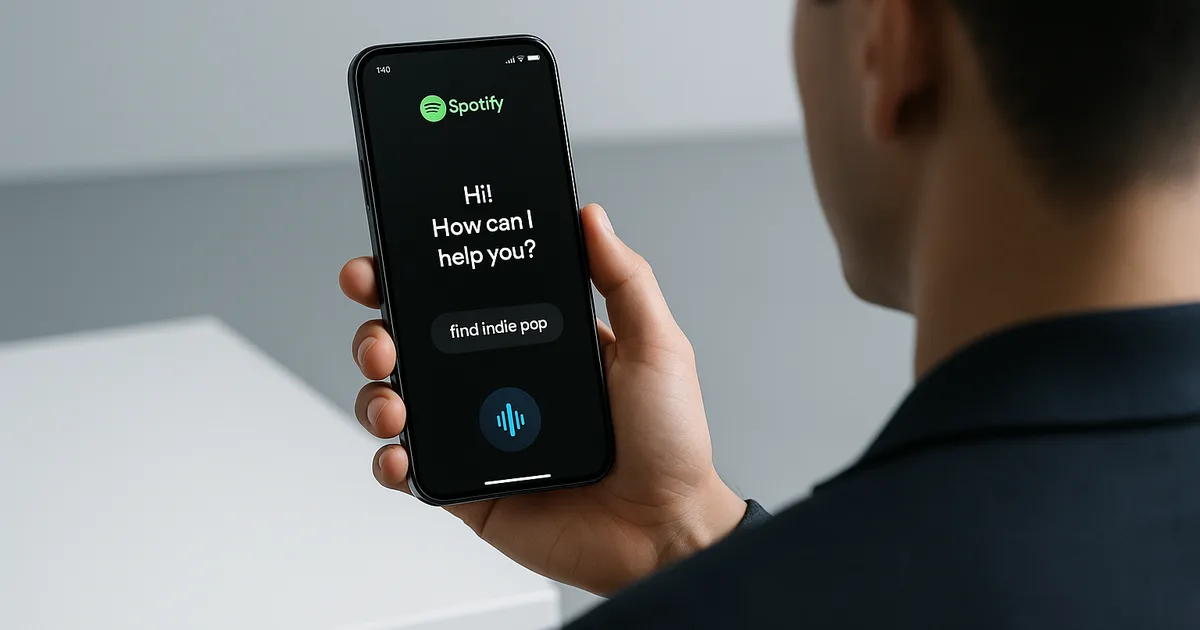
Beyond passive recommendations, Spotify's AI assistant incorporates voice command capabilities, allowing users to interact with the app hands-free. Users can request specific songs, genres, or moods, and the assistant responds accordingly. This conversational AI feature not only adds convenience but also makes the music discovery process more engaging. For example, a user might say, "Play some relaxing jazz," and the assistant will generate a playlist that fits the request.
Integration with Existing Spotify Features
The AI assistant seamlessly integrates with Spotify's existing features, enhancing functionalities like Discover Weekly and Release Radar. By analyzing listening patterns more deeply, it refines these playlists to better match user preferences. Additionally, the assistant can provide insights into listening habits, such as highlighting favorite genres or artists over a specific period, offering users a deeper understanding of their musical journey.
Privacy and Data Security Considerations
With the introduction of AI-driven personalization, Spotify emphasizes user privacy and data security. The company ensures that all data used by the assistant is anonymized and stored securely. Users have control over their data, with options to manage or delete their listening history. Spotify's commitment to transparency means users are informed about how their data is used to enhance their experience.
User Feedback and Initial Reception
Early adopters of Spotify's AI assistant have reported a more tailored and enjoyable listening experience. Users appreciate the intuitive nature of the voice commands and the accuracy of the recommendations. Some have noted that the assistant has introduced them to artists and genres they might not have discovered otherwise, broadening their musical horizons.
Comparison with Other AI-Powered Music Platforms
While other music streaming services have implemented AI features, Spotify's assistant stands out due to its deep integration and user-centric design. Competitors may offer similar functionalities, but Spotify's vast user data and sophisticated algorithms provide a more personalized experience. The combination of voice interaction and contextual recommendations sets it apart in the crowded music streaming market.
Future Developments and Potential Enhancements
Spotify plans to continue refining its AI assistant by incorporating user feedback and advancing its algorithms. Future updates may include more nuanced mood detection, integration with smart home devices, and even predictive features that anticipate user needs before they are expressed. The goal is to create an even more immersive and intuitive music listening experience.
FAQ
How do I activate Spotify's AI assistant?
To activate the AI assistant, ensure your Spotify app is updated to the latest version. Then, navigate to the settings menu and enable the voice command feature. Once activated, you can start using voice commands to interact with the assistant.
Is the AI assistant available to all Spotify users?
The AI assistant is being rolled out gradually and may not be available to all users immediately. Availability depends on your region and the device you are using. Keep your app updated to access the feature as it becomes available.
Can I disable the AI assistant if I prefer not to use it?
Yes, you can disable the AI assistant at any time by going to the settings menu in the Spotify app and toggling off the voice command feature. This will deactivate the assistant's functionalities.
Does the AI assistant work with all types of music genres?
Absolutely. The AI assistant is designed to cater to all music genres and will provide recommendations based on your listening habits across various styles.
How does Spotify ensure my data is protected when using the AI assistant?
Spotify prioritizes user privacy and data security. All data used by the AI assistant is anonymized and stored securely. Users have control over their data and can manage or delete their listening history through the app's settings.
Related Articles

Don't miss what ships next
The daily briefing on AI & tech, straight to your inbox.
Written by
Zach GreeneI write about the tools, trends, and breakthroughs shaping the future of AI, breaking down complex ideas into clear, actionable insights. From emerging startups to the latest in AI tech, I focus on what actually matters and what’s worth paying attention to. My goal is to help you stay ahead in a rapidly evolving space.