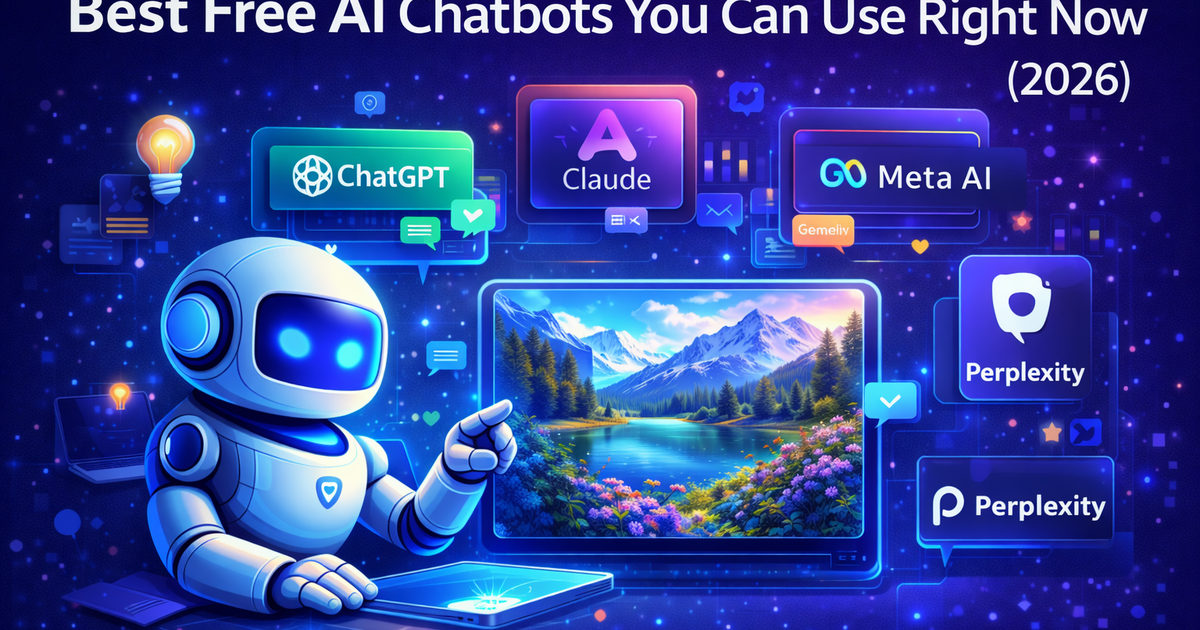
Best Free AI Chatbots You Can Use Right Now (2026)
If you're new to AI, here's the most important thing to know: the best AI tools in the world are available for free, right now, with nothing more than an email address to sign up. This guide cuts through the noise and tells you exactly what each free option is good at, where it falls short, and who it's best for.
Get the daily AI & tech briefing.
Best Free AI Chatbots You Can Use Right Now (2026)
If you're new to AI, here's the most important thing to know: the best AI tools in the world are available for free, right now, with nothing more than an email address to sign up.
No technical skills required. No credit card. No waiting list.
The harder question isn't whether you can access AI — it's which chatbot to actually start with, because there are a lot of them and they're not all the same. This guide cuts through the noise and tells you exactly what each free option is good at, where it falls short, and who it's best for.
What Can You Actually Do With a Free AI Chatbot?
Before getting into the specific tools, it's worth understanding what you're actually getting access to — because these free tools are genuinely powerful, not watered-down demos.
With any of the chatbots on this list, you can:
Write and edit. Draft emails, blog posts, cover letters, social media captions, product descriptions — anything text-based. Give the AI a rough idea and it'll produce a polished first draft in seconds.
Research and summarize. Paste in a long article, report, or document and ask the AI to summarize the key points, explain something confusing, or answer specific questions about it.
Get answers and explanations. Ask questions you'd normally Google, but get a direct, conversational answer instead of a list of links to click through.
Brainstorm ideas. Whether it's blog topics, business names, marketing angles, or gift ideas — AI is excellent at generating options quickly so you can pick what resonates.
Learn new things. Ask it to explain anything in plain language. Want to understand how interest rates work, what machine learning actually means, or how to set up a website? Just ask.
Code help. Even if you're not a developer, AI can write simple scripts, fix errors, and explain what code does in plain English.
What free tiers usually don't include: unlimited usage, the most powerful model versions, image generation, advanced memory features, and priority access during busy periods. These come with paid upgrades, but the free tiers are more than enough to get real value from AI.
The Best Free AI Chatbots Right Now
1. ChatGPT - Best All-Rounder for Most People
ChatGPT is the name that started the AI chatbot boom, and in 2026 it's still the strongest all-purpose free option for most people. OpenAI's free tier now includes access to GPT-4o — their flagship model — with usage limits that most casual users won't hit in a day.
What makes it stand out:
- Handles the widest range of tasks of any chatbot on this list — writing, coding, math, research, creative work, analysis
- GPT-4o on the free tier is genuinely capable, not a stripped-down version
- Custom GPTs let you access specialized versions of ChatGPT built for specific tasks (recipe planning, legal research, coding help, etc.)
- Memory feature remembers details about you across conversations (when enabled)
- Strongest ecosystem of third-party integrations
Where it falls short: Usage limits on the free tier mean heavy users will hit a wall during the day and get switched to slower models. For long, detailed documents or nuanced analytical writing, Claude tends to produce better results. Also no web browsing on the free tier by default in all regions.
Best for: Anyone who wants one tool that handles everything reasonably well. The best starting point if you've never used AI before.
Pricing: Free with a ChatGPT account. Plus plan $20/month for higher limits and additional features.
How to start: Go to chat.openai.com, create a free account, and start chatting.
2. Claude - Best for Thoughtful, Longer Conversations
Claude is made by Anthropic and has quietly built a reputation as the most careful and nuanced of the major AI chatbots. Where ChatGPT is the versatile generalist, Claude is the thoughtful one — it's particularly strong at anything that requires sustained reasoning, careful analysis, or maintaining context over a long conversation.
What makes it stand out:
- Handles extremely long documents — paste an entire research paper, contract, or book chapter and ask questions about it
- Writing quality on longer pieces is consistently strong and less likely to drift into generic AI-speak
- More careful about acknowledging uncertainty rather than confidently stating things it doesn't know
- Excellent for back-and-forth conversations that build on previous exchanges
- Strong at nuanced topics that require balanced, thoughtful responses
Where it falls short: The free tier has usage limits that feel tighter than ChatGPT's for heavy users. No image generation. Web search isn't available on the free tier by default. Less extensive third-party integrations than ChatGPT.
Best for: Writers, researchers, students, and anyone who has longer, more complex conversations with AI. Also great for people who find ChatGPT's responses feel a bit generic or formulaic.
Pricing: Free with a Claude account. Pro plan $20/month.
How to start: Go to claude.ai, create a free account, and start chatting.
3. Google Gemini - Best for Google Users
Google's AI chatbot is deeply integrated into Google's ecosystem, which is its biggest advantage. If you live in Gmail, Google Docs, Google Drive, or Google Search, Gemini is built to work alongside all of those tools in a way the others aren't.
What makes it stand out:
- Integrated with Gmail — can summarize emails, draft replies, and help manage your inbox
- Works inside Google Docs for writing assistance without switching tabs
- Google Search integration means it can pull in fresh, current information
- Access to Google's knowledge base and real-time information
- Free tier is genuinely capable for everyday tasks
Where it falls short: Outside of the Google ecosystem, it doesn't offer a clear advantage over ChatGPT or Claude. For tasks unrelated to Google products, the experience is roughly comparable to the others but without the integrations that make it special. Advanced reasoning tasks can lag behind Claude.
Best for: Anyone heavily embedded in Google Workspace — Gmail, Docs, Drive, Calendar — who wants AI assistance without leaving those apps.
Pricing: Free with a Google account. Gemini Advanced available with Google One AI Premium plan at $20/month.
How to start: Go to gemini.google.com or look for the Gemini icon in any Google product you already use.
4. Microsoft Copilot - Best Free Option With Web Search Built In
Microsoft Copilot is one of the most generous free AI chatbots available — it includes web search by default, which means it can answer questions about current events, recent news, and live information without you needing a paid plan.
What makes it stand out:
- Web search is built in and free — answers come with cited sources you can verify
- Integrated into Windows, Edge browser, and Microsoft 365 if you use those
- Can generate images for free via DALL-E integration
- No strict daily message limits on the free tier
- Good for general research tasks where current information matters
Where it falls short: The conversational depth and writing quality isn't quite at the level of ChatGPT or Claude for complex tasks. It can feel more like a search engine with an AI layer than a true conversational assistant. Less useful for pure writing or analysis tasks where web search isn't needed.
Best for: People who want a free AI assistant that can answer questions about current events and recent news. Also great for Windows and Microsoft 365 users who want AI built into their existing tools.
Pricing: Free with a Microsoft account. Microsoft 365 Copilot Pro available for enhanced features.
How to start: Go to copilot.microsoft.com or search "Copilot" in Windows.
5. Perplexity AI - Best for Research and Accurate Answers
Perplexity AI is built differently from the others on this list. Instead of being a general-purpose chatbot first, it's a research tool that uses AI to search the web, synthesize information from multiple sources, and give you a direct answer with citations.
If you've ever wished Google just answered your question instead of giving you ten links to click through, Perplexity is basically that.
What makes it stand out:
- Every answer comes with cited sources you can click through and verify
- Built specifically for research — better at finding current, accurate information than most chatbots
- Follow-up questions are handled naturally, building on previous context
- Pro Search digs deeper on complex topics
- No hallucination anxiety — when it doesn't know something, it says so and searches for it
Where it falls short: Not the right tool for creative writing, coding help, or conversational tasks that don't require web search. It's a research and information tool, not a writing assistant. Free tier limits the number of Pro Searches per day.
Best for: Students, researchers, journalists, and anyone who regularly needs accurate, sourced answers to questions. Also great for fact-checking or getting up-to-date information on fast-moving topics.
Pricing: Free with a Perplexity account. Pro plan $20/month for unlimited Pro Searches and more.
How to start: Go to perplexity.ai — you can actually start searching without even creating an account.
6. Meta AI - Best for Social Media Users
Meta AI is built into WhatsApp, Instagram, Facebook, and Messenger, which means if you're already using any of those apps, you have access to a capable AI assistant without downloading anything new.
What makes it stand out:
- Already inside apps you use every day — no new tool to learn
- Can help with messages, captions, ideas, and quick questions directly in your social apps
- Decent general-purpose capabilities for everyday tasks
- Image generation built in for free
- Good for casual, everyday AI assistance
Where it falls short: It's not as capable as ChatGPT or Claude for complex tasks, long-form writing, or detailed research. It's best for quick, casual interactions rather than serious work. Privacy-conscious users may have concerns about using an AI assistant built into Meta's platforms.
Best for: Casual users who want to dip their toes into AI without downloading a new app or creating a new account. Particularly useful if you're already active on WhatsApp or Instagram.
Pricing: Free within Meta apps.
How to start: Open WhatsApp, Instagram, Facebook, or Messenger and look for the Meta AI button or circle icon.
7. DeepSeek - Best Free Option for Coding and Technical Tasks
DeepSeek is a Chinese AI company that made waves when it released models that rivaled the major American labs at a fraction of the cost. The free tier is genuinely capable, particularly for coding and technical questions.
What makes it stand out:
- Strong performance on coding tasks relative to its free price point
- Reasoning model (DeepSeek R1) is available for free and handles complex logical problems well
- Very generous free tier — high usage limits
- Good for technical questions, math, and structured reasoning tasks
Where it falls short: It's less polished than ChatGPT or Claude for conversational writing and creative tasks. There are legitimate questions among some users about data privacy given it's a Chinese company operating under Chinese law — something worth being aware of if you handle sensitive information. English language support is strong but some nuances in tone and cultural context can feel slightly off.
Best for: Developers, students working on technical subjects, and anyone who wants a capable free AI for coding or math-heavy tasks.
Pricing: Free at chat.deepseek.com.
How to start: Go to chat.deepseek.com and start chatting - account optional for basic use.
Quick Comparison Table
Chatbot | Best For | Web Search | Image Gen | Free Tier Limits |
|---|---|---|---|---|
ChatGPT | All-round versatility | Limited (free) | No (free) | Daily message limits |
Claude | Long docs, nuanced writing | No (free) | No | Usage limits |
Gemini | Google ecosystem users | Yes | Yes | Generous |
Microsoft Copilot | Current events, research | Yes — built in | Yes (DALL-E) | Very generous |
Perplexity AI | Research, sourced answers | Yes — core feature | No | Pro Search limits |
Meta AI | Social media users | Yes | Yes | Generous |
DeepSeek | Coding, technical tasks | Limited | No | Very generous |
Which Free AI Chatbot Should You Start With?
If you've never used AI before and want the best starting point: Start with ChatGPT. It's the most capable all-rounder, the interface is clean and intuitive, and the free tier with GPT-4o gives you real capability without paying anything.
If you do a lot of writing or reading long documents: Try Claude. The free tier is strong for longer, more thoughtful exchanges, and it's particularly good at maintaining context and quality across a long conversation.
If you live in Gmail and Google Docs: Use Gemini — it works inside the tools you're already in.
If you want answers to current events and news: Microsoft Copilot gives you web search for free, with cited sources. Perplexity AI is the other strong option here.
If you need help with coding: DeepSeek's free tier is surprisingly capable for technical tasks.
If you just want to try AI without any friction: Perplexity AI lets you start searching without even creating an account.
A Few Things to Know Before You Start
Don't share sensitive information. Most free tiers use your conversations to improve their models. Treat these tools like a public forum — don't paste passwords, personal financial details, confidential work documents, or private medical information into them.
They can be wrong. AI chatbots can confidently state incorrect information. This is called hallucination. Always verify anything important — especially medical, legal, or financial information — with a proper source. Perplexity AI is the best of the bunch for accuracy because it cites its sources.
Free tiers have limits. You'll hit daily or hourly message limits on most of these tools if you use them heavily. When that happens, either wait for the limit to reset or try a different tool in the meantime.
They're getting better fast. Whatever limitations you notice today will likely be improved in the next model update. The AI landscape in 2026 is moving quickly — these tools are significantly more capable than they were even a year ago.
Frequently Asked Questions
What is the best free AI chatbot right now? ChatGPT's free tier is the strongest all-rounder for most people. Claude is best for longer documents and nuanced writing. Perplexity AI is best for research with sourced answers. The right choice depends on what you mainly want to use it for.
Can I use AI chatbots without making an account? Perplexity AI and Microsoft Copilot let you start without an account. Most others require a free signup, which takes about a minute.
Are free AI chatbots safe to use? For general tasks, yes. Just avoid sharing sensitive personal information — most free tiers use conversations for model training. Treat them like a public tool, not a private one.
What's the difference between all these AI chatbots? They're all built on large language models but with different strengths. ChatGPT is the most versatile. Claude is the most thoughtful for complex writing. Gemini works inside Google's apps. Perplexity is built around sourced web search. Each excels in different areas — the guide above breaks it down by use case.
Is it worth paying for an AI chatbot? If you use AI daily for work or writing, a $20/month upgrade is usually worth it for higher usage limits and better models. If you're just getting started, use the free tiers first — they're genuinely capable and will help you figure out whether paid features are worth it for how you actually work.
Related Articles



Don't miss what ships next
The daily briefing on AI & tech, straight to your inbox.
Written by
Zach GreeneI write about the tools, trends, and breakthroughs shaping the future of AI, breaking down complex ideas into clear, actionable insights. From emerging startups to the latest in AI tech, I focus on what actually matters and what’s worth paying attention to. My goal is to help you stay ahead in a rapidly evolving space.